How it works
From a chat file to a conversation, in about five minutes
You already have the messages. Neverfar reads how that person wrote, then lets you text with a reply that sounds like them. It's text only — no audio, no voice cloning.
How it works, step by step
Three steps, about five minutes.
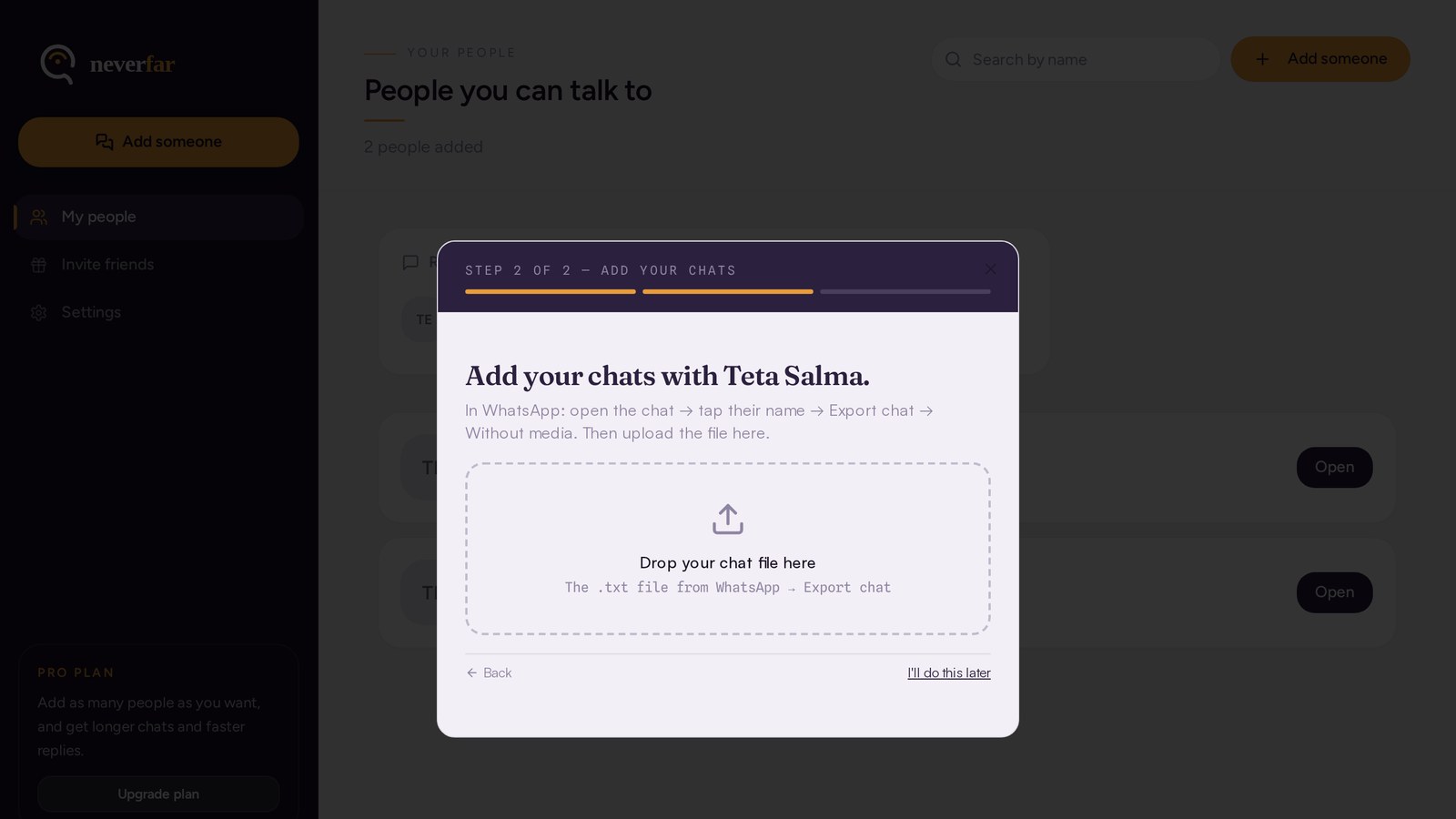
1. Export a chat and upload it
In WhatsApp, open the chat, tap Export chat, and choose "Without media". You get a .txt file. Drop that file into Neverfar.
2. Pick the person
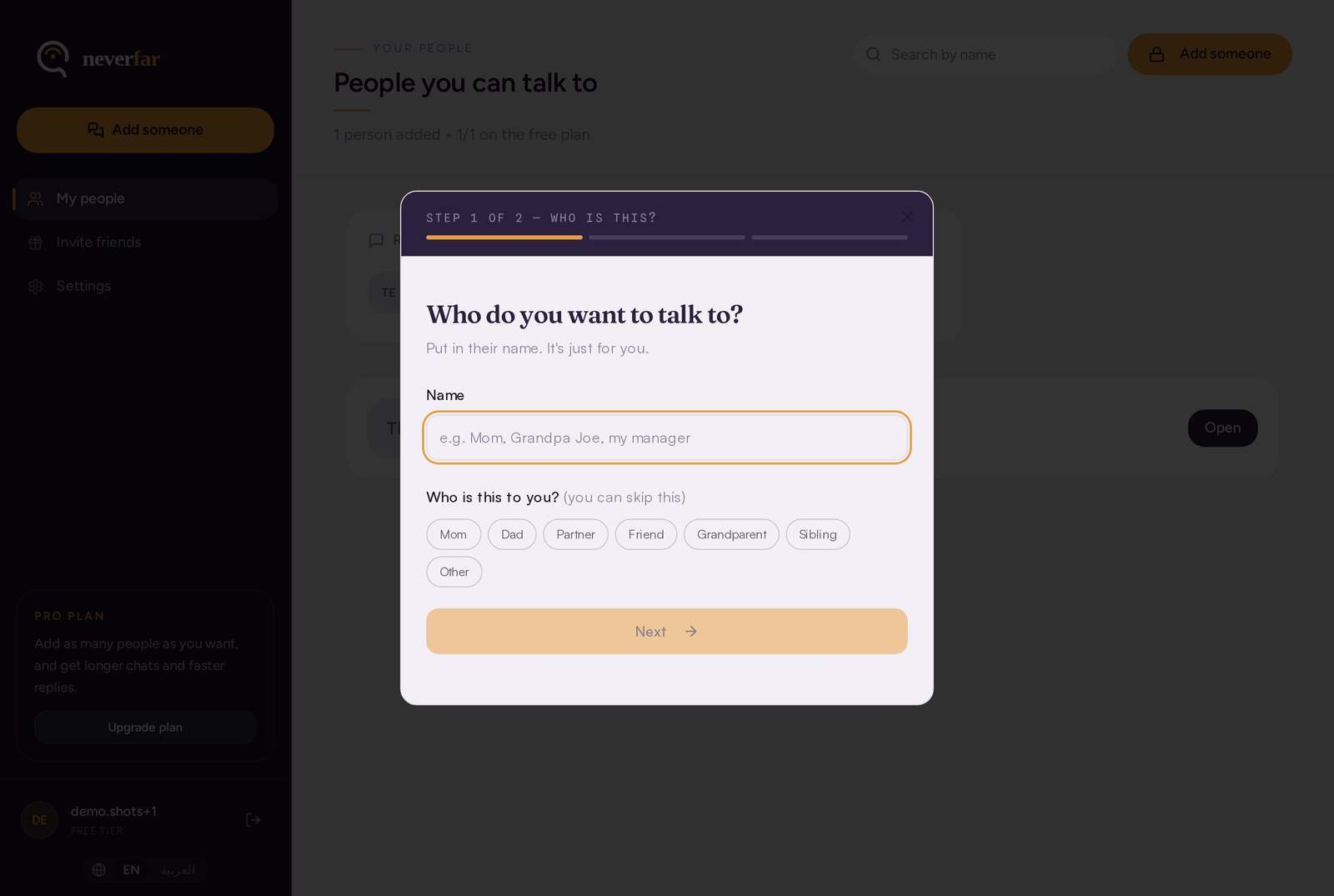
We show everyone who talked in that chat. You choose the person you want. We only study that person's messages.
3. Start talking
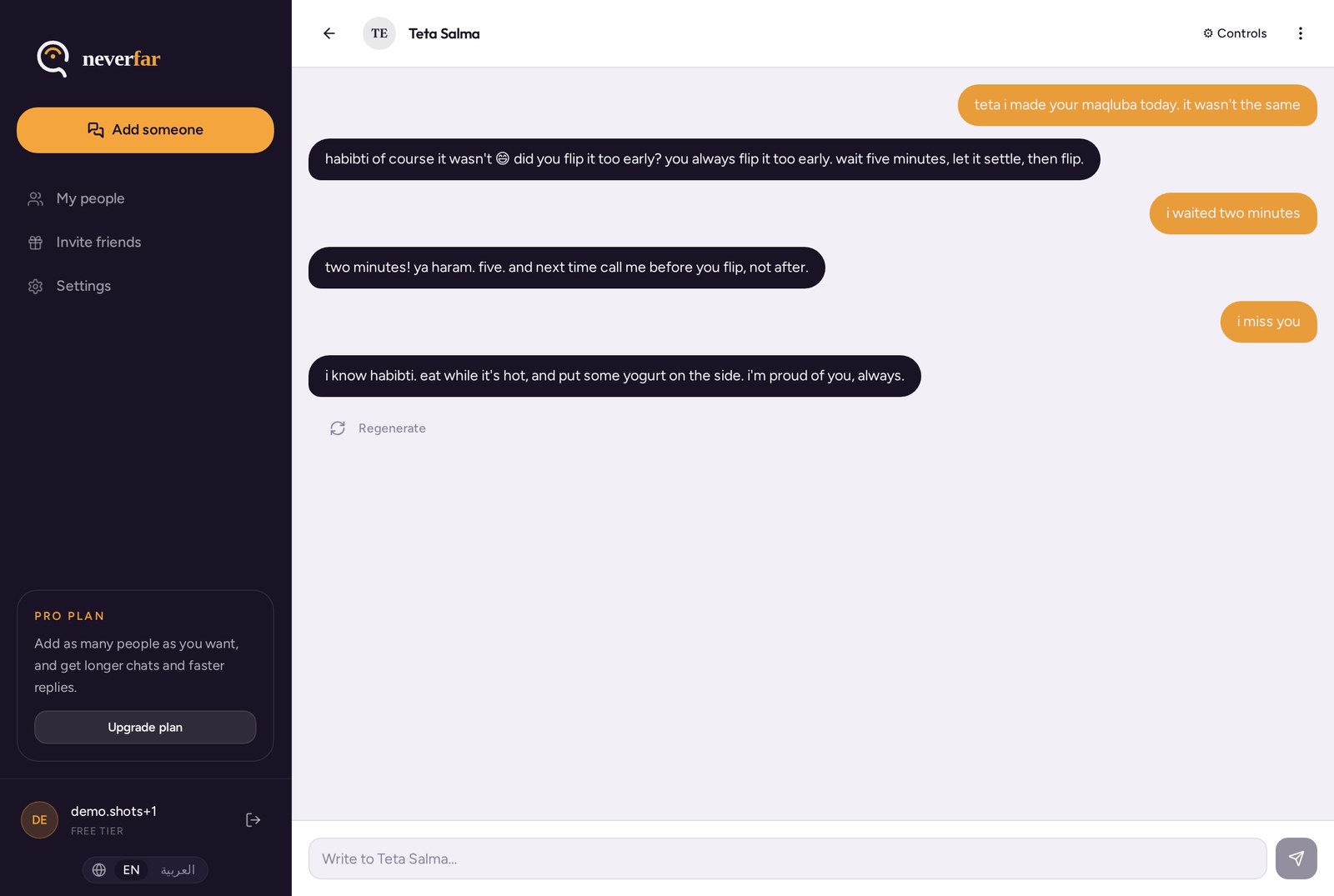
Neverfar learns how they wrote: short or long, the words they repeat, the emojis, the jokes. Then you can message them like any other chat.
What it looks like
Real screens from the app — nothing staged.
Dials you can move any time
You are always in control of how the replies sound.
Likeness
How closely it copies them. Turn it down if it feels too much.
Length
Short replies, medium, or long ones.
Emojis
Few, some, or lots — match how they really typed.
What happens to your file
It stays in your account
Your upload is stored in your private account. Other users can never see it. We do not sell it and we do not use it to train public AI models.
You can delete it all
One button in Settings removes your uploads, your people, and your chats. No email, no waiting.
Start with one chat. See how it feels.
Free to start. Cancel anytime. Delete everything whenever you want.
Try it free